
Project Dashboard
This project is publicly accessible. Click to access.
Published:
4 minute read
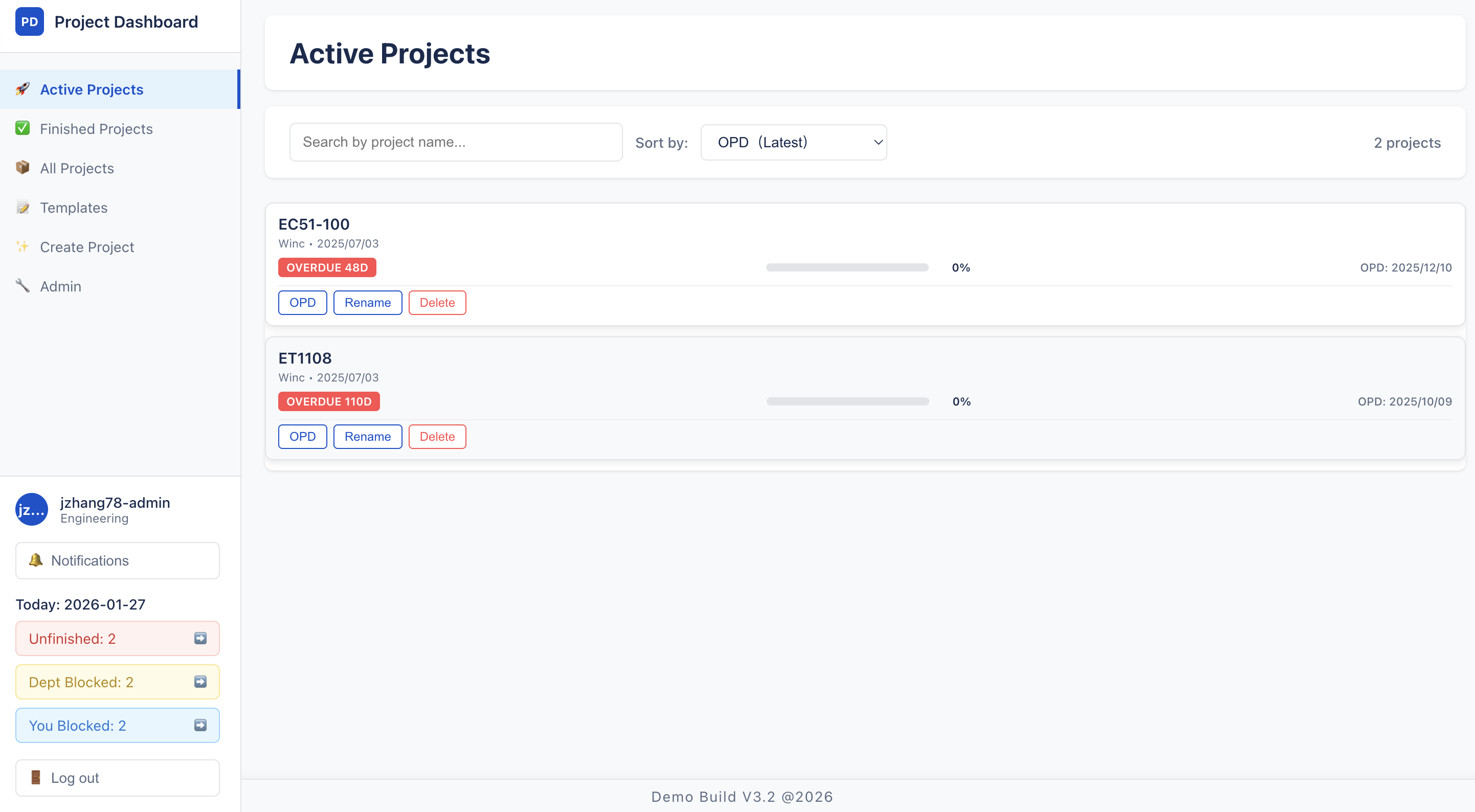
List for active projects (admin view)
Project Overview
Project Dashboard is an enterprise-grade workflow management system designed to visualize and track business processes from sales to warehouse operations. Developed for a UK-based mechanical manufacturing company, the system enables cross-departmental collaboration, improves operational efficiency, and prevents task omissions through automated workflow progression and real-time tracking.
Core Value & Significance
In complex business environments, projects often involve multiple departments with interdependent tasks. Traditional project management tools lack the workflow automation and department-specific controls needed for efficient operations. Project Dashboard addresses these challenges by:
- Workflow Automation: Automatic progression between departments when checklists are completed
- Department Isolation: Each department maintains independent checklists with controlled access
- Real-time Visibility: Visual workflow representation showing project status across all departments
- Task Accountability: Mandatory comments and assignment tracking ensure responsibility
- Real-time Notifications: @user mention system with instant notifications for task assignments, completions, and comments
- Multi-level Statistics: Hierarchical project status views showing company-wide, department-level, and personal blocking statistics
- Template System: Reusable checklist templates for standardized processes
- Administrative Control: Comprehensive admin interface for managing departments (add/edit/reorder), global templates, and administrator users
- Project Reporting: Admin-only project report export functionality for comprehensive project analysis
The system is currently in production use at a UK-based mechanical manufacturing company, where it has streamlined cross-departmental workflows and improved project tracking efficiency.
Technical Stack
Frontend
- Framework: React 19.1.0 with React Router DOM 7.6.1
- State Management: Context API for global state
- HTTPS Client: Axios for secure API communication (HTTPS)
- UI Libraries: HTML2PDF for report generation, @hello-pangea/dnd for drag-and-drop
- Date Handling: Day.js
- Deployment: GitHub Pages
Backend
- Runtime: Node.js 18+ with Express.js
- Database: MongoDB with Mongoose ODM
- Authentication: JWT with bcrypt
- Deployment: Azure Cloud Services
Usage Instructions
Access
- Web Application: Access the web application (HTTPS)
- Registration: Create an account with username, email, and department selection
- Login: Use credentials to access the dashboard
Project Management
- Create Project:
- Sales and Admin users can create new projects
- Set project name and Order Promise Date (OPD)
- Optionally load a template for department checklists
- View Projects:
- Filter by status (active/completed/all)
- Sort by OPD urgency, creation date, or progress
- Click on project card to view details
- Multi-level Statistics:
- Company-wide: View total number of unfinished projects across the entire company
- Department-level: See how many unfinished projects are blocked by your department
- Personal: Track how many unfinished projects are blocked by your individual incomplete tasks
Task Management
- Department Tasks:
- Only department users can check off items in their department's checklist
- Assign tasks to specific users
- Update task status (todo → in_progress → complete)
- Task Completion:
- Mandatory comment required when completing tasks
- Use @user mentions to notify other users
- Project automatically progresses when department checklist is complete
Administrative Functions
- User Management: Create users and assign to departments
- Department Management:
- Add, edit, and delete departments
- Configure department names
- Reorder departments in workflow sequence using drag-and-drop
- Template Management:
- Create and manage global checklist templates
- Set default templates for departments
- Apply templates to new or existing projects
- Administrator Management: Add and remove administrator users with full system access
- Project Report Export (Admin only):
- Export comprehensive project reports for analysis
- Generate detailed project status and progress reports
- PDF export functionality for project documentation