
Product Scanner App + Website
This is a private project. If you would like to learn more details, access the source code, or experience the project, please contact jacky.
Published:
6 minute read
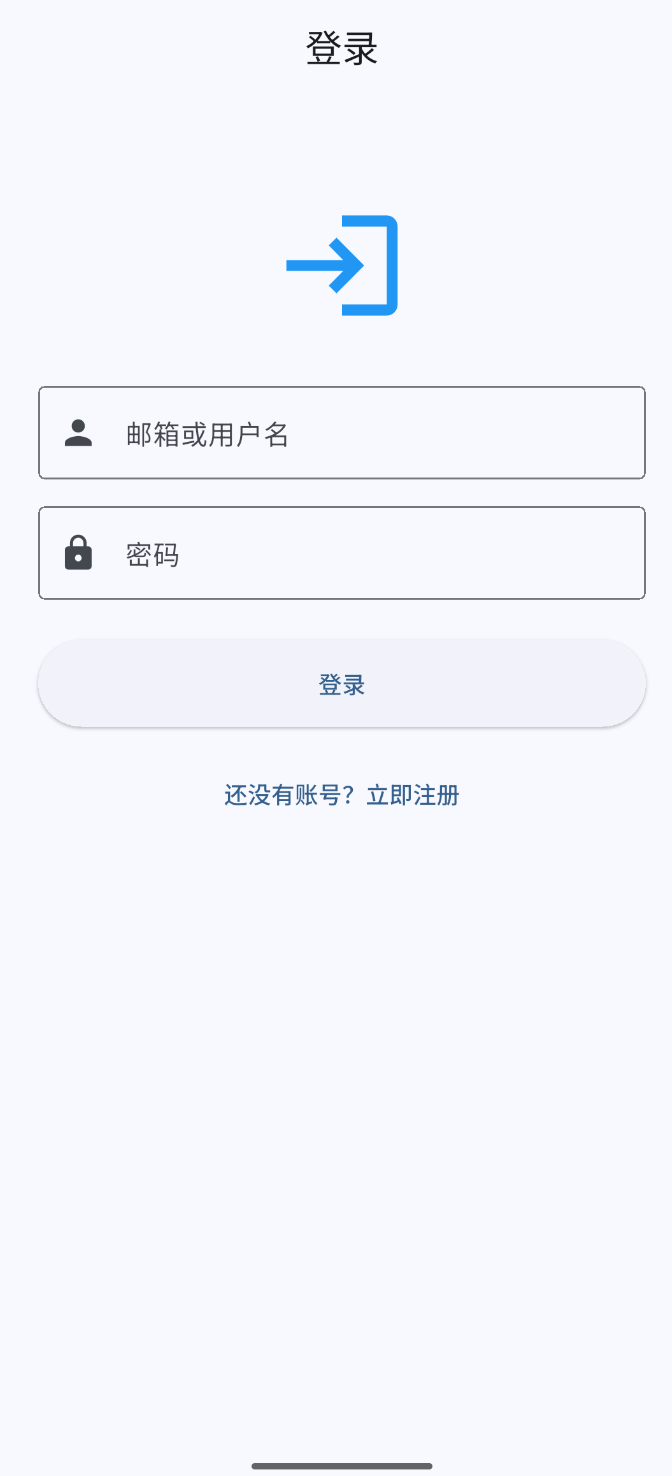
Scanner App: Login
Project Overview
Product Scanner is a comprehensive inventory management system that combines mobile scanning capabilities with a powerful web dashboard. Developed for a UK-based mechanical manufacturing company, the system enables users to quickly scan product labels using their mobile device, automatically extract product information through OCR and AI analysis, and manage all data through a unified web interface.
Core Value & Significance
Traditional inventory management often involves manual data entry, which is time-consuming and error-prone. Product Scanner addresses these challenges by:
- Automating Data Entry: Eliminates manual typing by automatically extracting information from product labels using OCR and AI
- Improving Accuracy: AI-powered analysis reduces human errors in data transcription
- Unified Platform: Mobile app for scanning and web dashboard for management, sharing the same backend
- Real-time Management: Web dashboard provides real-time data viewing and editing capabilities
- User Authentication: Secure login system eliminates the need for manual configuration
The system is currently in production use at a UK-based mechanical manufacturing company, where it has significantly improved inventory tracking efficiency and reduced manual data entry errors.
Technical Stack
Backend (Shared)
- Runtime: Node.js 18+ with Express.js
- Database: MongoDB with Mongoose ODM
- Authentication: JWT with bcrypt for secure user authentication
- AI Integration: HTTPS-based API for intelligent text extraction
- CSV Service: Automatic CSV generation with UTF-8 BOM encoding
Mobile App (Flutter)
- Framework: Flutter 3.3.1+ with Material Design 3
- State Management: Provider pattern
- Authentication: JWT token-based authentication with automatic token management
- Camera: Camera plugin for real-time image capture
- OCR: Google ML Kit Text Recognition (supports Chinese)
- HTTPS Client: Dio for secure API communication (HTTPS)
Web Dashboard
- Framework: React 18 + TypeScript + Vite
- UI Library: Ant Design 5
- State Management: Zustand
- HTTPS Client: Axios for secure API communication (HTTPS)
- Features: Edit mode and Live mode for different viewing experiences
Key Features
1. User Authentication
- Registration: User registration with email, username, and password
- Login: Support for email or username login
- Token Management: Automatic JWT token management and refresh
- Secure Access: All data is user-specific and securely stored
2. Mobile Scanning
- Camera Integration: Real-time camera preview with high-quality image capture
- Gallery Selection: Alternative image source from device gallery
- OCR Recognition: Automatic text extraction from product labels (supports Chinese)
- AI Analysis: Intelligent extraction of product information fields
- Auto-save: Automatic storage date and week number calculation
3. Web Dashboard Features
Product Management
- Product List: Table-based display with pagination (40 items per page for all, 100 for specific weeks)
- Dual Modes:
- Edit Mode: Full editing capabilities with inline editing
- Live Mode: Real-time auto-refresh for monitoring
- Inline Editing: Click any cell to edit product information directly
- Auto-save: Changes are automatically saved after editing
- Bulk Operations: Select multiple products for batch operations
Search & Filtering
- Search: Search by product name or material number
- Week Filter: Filter products by week number
- Date Range Filter: Filter by date range using date picker
- Quality Check Alerts: Visual indicators (red background) for products requiring quality checks (overdue by 2+ weeks)
- Overdue Sorting: Products overdue by 48+ hours are automatically sorted to the top
Data Management
- Product Editing: Edit all product fields inline
- Product Deletion: Delete products with confirmation dialog
- Comments System: Add and edit comments for each product
- CSV Export: Export filtered data as CSV with UTF-8 BOM encoding for Excel compatibility
- Export Options: Export by week number or date range
Live Mode Features
- Auto-refresh: Automatic data refresh at configurable intervals
- Pause/Resume: Pause auto-refresh when needed
- Failure Handling: Automatic retry with exponential backoff on failures
Usage Instructions
Mobile App
- Registration/Login:
- Register a new account or login with existing credentials
- Support email or username login
- Token is automatically saved and managed
- Scanning:
- Tap "Start Scanning" button
- Use camera to capture product label or select from gallery
- Wait for OCR and AI analysis to complete
- Review and edit extracted information if needed
- Save to backend (storage date and week number are automatically calculated)
- View Data: Access the web dashboard to view, search, and manage all scanned products
Web Dashboard
- Access: Login to the web dashboard (HTTPS)
- Login: Use your credentials to access the dashboard
- Product Management:
- Edit Mode (
/edit): Full editing capabilities- Click any cell to edit inline
- Changes auto-save after editing
- Use search and filters to find products
- Add comments, edit, or delete products
- Live Mode (
/live): Real-time monitoring- Auto-refreshes data at regular intervals
- Pause/resume auto-refresh as needed
- View-only mode for monitoring
- Edit Mode (
- Search & Filter:
- Use search bar to find products by name or material number
- Filter by week number or date range
- Overdue products are automatically highlighted and sorted to top
- Export:
- Click "Export CSV" button
- Choose export by week number or date range
- Download filtered data as CSV file
Product Scanner - Streamlining inventory management with AI-powered automation.