
Online Menu
This project is publicly accessible. Click to access.
Published:
4 minute read
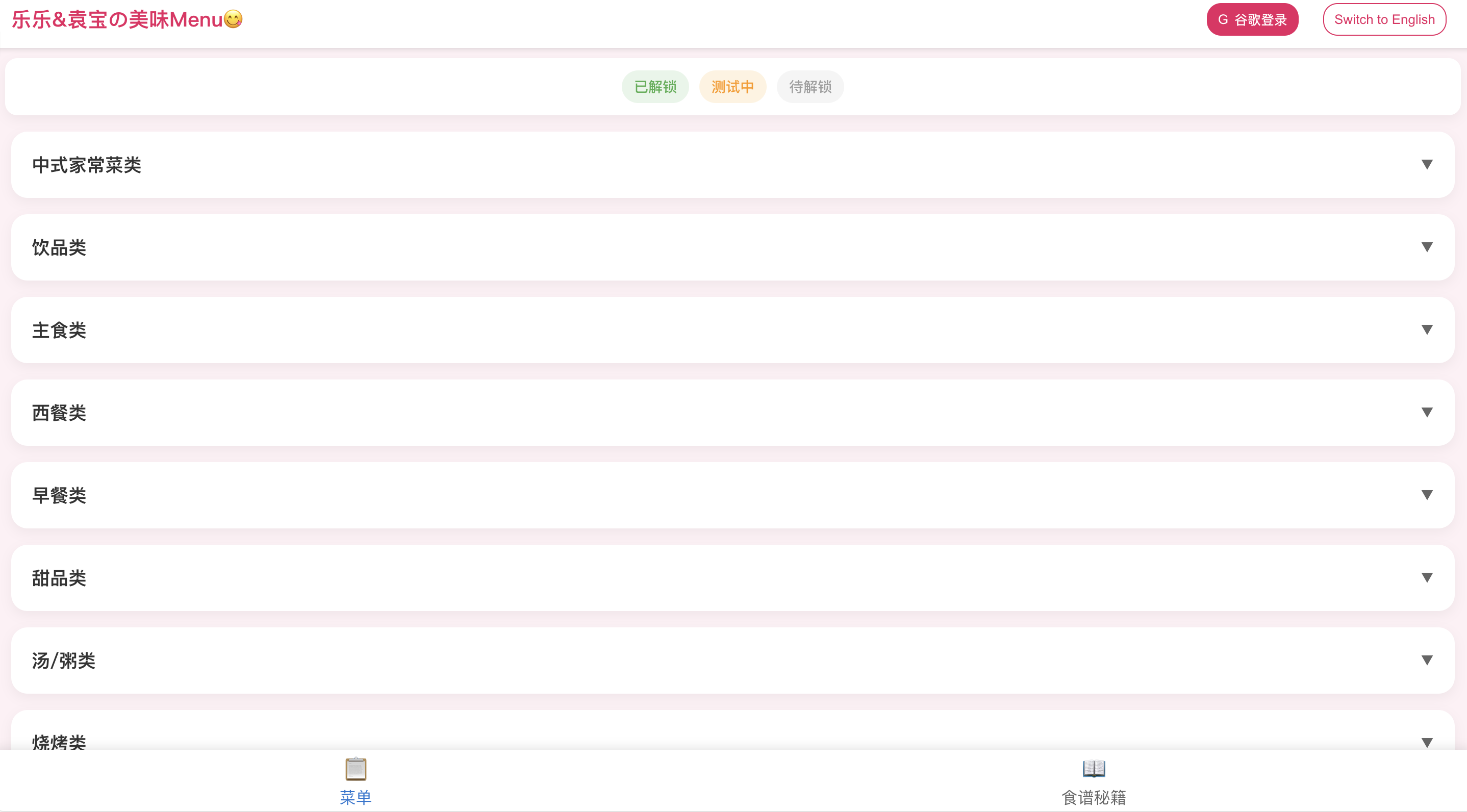
CN: Menu categories
Project Overview
Online Menu is a bilingual (English/Chinese) menu management system designed for personal use, allowing users to browse, manage, and organize dishes with cooking tips and sauce recipes. The system features a modern responsive design with comprehensive admin capabilities for content management.
Core Value & Significance
Managing personal recipes and menu items across multiple languages can be challenging. Online Menu addresses this by:
- Bilingual Support: Complete English and Chinese language support with seamless switching
- Organized Structure: Hierarchical category and subcategory organization for easy navigation
- Status Management: Visual status indicators (unlocked, testing, locked) for dish management
- Recipe Integration: Integrated ingredient tips and sauce recipes alongside menu items
- Admin Control: Full CRUD capabilities for administrators with Google OAuth authentication
The system is particularly useful for bilingual households or individuals who want to maintain an organized, accessible digital menu collection.
Technical Stack
Frontend
- Framework: React 19.1.0 with TypeScript
- State Management: Context API (Language and Auth contexts)
- HTTPS Client: Axios for secure API communication (HTTPS)
- Authentication: Firebase Authentication with Google Sign-in
- UI: Responsive design with mobile-first approach
- Deployment: GitHub Pages (HTTPS)
Backend
- Runtime: Node.js with Express.js
- Database: Firebase Firestore
- Authentication: Firebase Admin SDK
- Deployment: Vercel (HTTPS)
Additional Libraries
- UUID: For unique ID generation
- Pinyin: For Chinese text processing
- Firebase: For authentication and database
Key Features
1. Bilingual Menu Management
- Dual Language Support: Complete English and Chinese interface and content
- Dynamic Language Switching: Real-time language toggle with persistent state
- Bilingual Content: All dishes, tips, and recipes support both languages
2. Dish Organization
- Category System: Hierarchical organization with categories and subcategories
- Status Management: Three status levels (unlocked, testing, locked) with visual indicators
- Rich Information: Dishes include ratings, emojis, notes, and categorization
- Card-based Display: Modern card interface for easy browsing
3. Recipe Management
- Ingredient Tips: Cooking tips and ingredient information with bilingual descriptions
- Sauce Recipes: Sauce and recipe instructions in both languages
- Integrated Access: Easy navigation between menu and recipe pages
4. Administrative Functions
- Google OAuth: Secure authentication with Google Sign-in
- Admin Verification: Email-based admin status checking
- Full CRUD Operations: Create, edit, and delete dishes, tips, and recipes
- Category Management: Dynamic category and subcategory creation
- Status Control: Manage dish status (unlocked, testing, locked)
5. User Interface
- Responsive Design: Optimized for both desktop and mobile devices
- Modal System: Comprehensive modal-based interactions
- Status Indicators: Color-coded visual status representation
- Bottom Navigation: Easy switching between Menu and Recipe pages
Usage Instructions
Access
- Web Application: Visit [https://www.jacky-info.com/menuv2/]
- Language Selection: Use the language toggle button to switch between English and Chinese
- Login (Admin only): Click login button and authenticate with Google account
Browsing Menu
- View Dishes: Browse dishes organized by categories and subcategories
- Status Indicators:
- Green (unlocked): Available dishes
- Orange (testing): Dishes being tested
- Gray (locked): Locked dishes
- Dish Details: Click on dish cards to view detailed information
Recipe Access
- Switch Tab: Use bottom navigation to switch to Recipe page
- Ingredient Tips: View cooking tips and ingredient information
- Sauce Recipes: Browse sauce and recipe instructions
Administrative Functions (Admin only)
- Content Management:
- Click edit button on any dish, tip, or recipe
- Create new items using the add button
- Edit or delete existing content
- Category Management: Create and manage categories and subcategories dynamically
- Status Management: Change dish status as needed
Online Menu - Organizing culinary creativity in multiple languages.