
KnowFlow
This project is publicly accessible. Click to access.
Published:
6 minute read
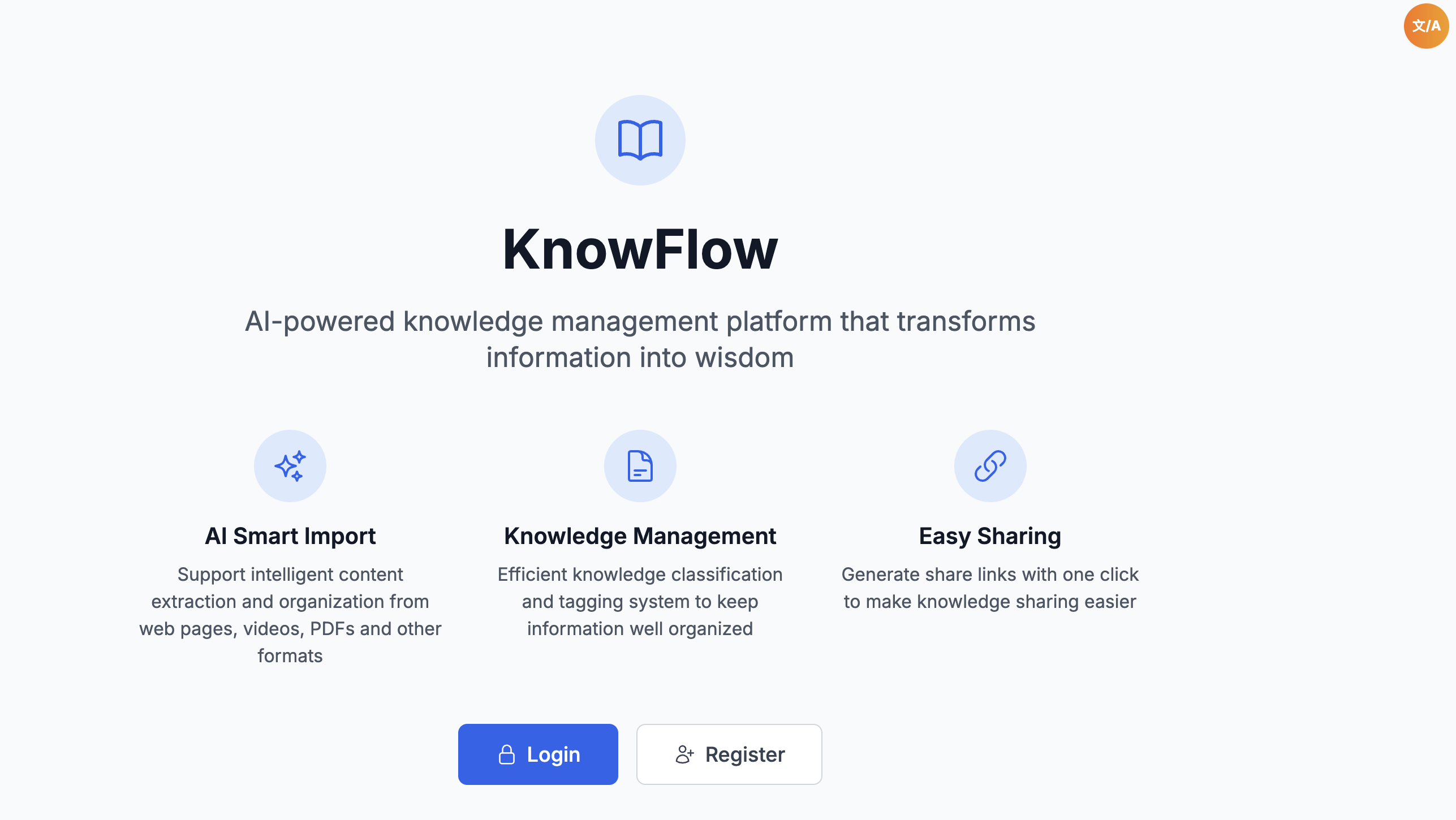
Knowflow: Login
Project Overview
KnowFlow is an AI-powered intelligent knowledge management platform designed to help users transform fragmented content into systematic knowledge assets. The system enables users to quickly collect, intelligently extract, and organize information from various sources including web pages, videos, PDFs, text, and voice recordings.
Core Value & Significance
In today's information age, we are constantly exposed to vast amounts of content across different platforms. KnowFlow addresses the challenge of information fragmentation by providing a unified platform where users can:
- Centralize Knowledge: Collect information from multiple sources into one organized system
- Intelligent Processing: Leverage AI to automatically extract key insights, generate summaries, and create tags
- Systematic Organization: Transform scattered content into structured knowledge assets
- Easy Retrieval: Quickly find and access stored knowledge through powerful search and categorization
The platform is particularly valuable for researchers, students, professionals, and anyone who needs to manage and organize large amounts of information efficiently.
Technical Stack
Backend
- Runtime: Node.js 18+ with TypeScript 5.3+
- Framework: Express.js 4.18+
- Database: MongoDB (via Prisma ORM) + Redis 7.0+ for caching
- Authentication: JWT with bcryptjs for password encryption
- AI Services: Claude API (international) and Doubao API (domestic)
- Additional Services:
- OCR: Tesseract.js for text recognition
- Speech Recognition: Vosk for offline speech-to-text
- PDF Processing: pdf-parse
- Web Scraping: Puppeteer
- Video Processing: YouTube Transcript API, Bilibili API
Frontend (Web)
- Framework: React 18 + TypeScript + Vite
- UI: Tailwind CSS + Headless UI
- State Management: Zustand
- Routing: React Router
- HTTPS Client: Axios for secure API communication (HTTPS)
- PWA Support: Vite PWA Plugin
Mobile App
- Framework: Flutter with Material Design 3
- State Management: Provider
- HTTPS Client: Dio for secure API communication (HTTPS)
Infrastructure
- Containerization: Docker + Docker Compose
- Deployment: Cloud services (Azure/AWS compatible)
- Logging: Winston logger
- Security: Helmet, CORS, rate limiting
Key Features
1. Multi-Source Import
- Web Import: Extract and process content from web pages via URL
- Video Import: Analyze video content from YouTube and Bilibili with automatic transcript extraction
- PDF Import: Parse and extract text from PDF documents
- Text Import: Direct text input with support for long-form content
- Voice Import: Real-time voice recording with multi-language speech recognition
2. AI-Powered Processing
- Intelligent Extraction: Automatically extract key insights and remove redundant information
- Auto Tagging: AI-generated tags for better organization and categorization
- Summary Generation: Automatic content summarization
- Multi-Provider Support: Seamless switching between Claude (international) and Doubao (domestic) APIs
3. Knowledge Management
- CRUD Operations: Create, read, update, and delete knowledge entries
- Advanced Search: Full-text search with filtering and sorting
- Tag System: Hierarchical tag management with statistics
- Data Visualization: Statistics dashboard showing knowledge base insights
4. Sharing & Collaboration
- Public Sharing: Generate public share links for knowledge entries
- Private Sharing: Secure private sharing with access control
- Share Management: Manage and track shared content
5. Cross-Platform Access
- Web Application: Responsive design supporting desktop and mobile browsers
- Mobile App: Native Flutter application for iOS and Android
- PWA Support: Installable web app with offline capabilities
Usage Instructions
Web Application
- Access: Visit [PLACEHOLDER_WEB_URL] (HTTPS)
- Registration: Create an account with email and password
- Import Content:
- Use the import page to add content from various sources
- Paste URLs for web pages or videos
- Upload PDF files or enter text directly
- Record voice notes using the voice import feature
- Manage Knowledge:
- View all knowledge entries in the dashboard
- Search and filter by tags or keywords
- Edit or delete entries as needed
- Share: Generate share links to share knowledge with others
Mobile App
- Installation: Build and install the app from source (personal project)
- Login: Use your account credentials to log in
- Import: Use the mobile interface to import content on the go
- Access: View and manage your knowledge base from anywhere
API Access
The backend provides a RESTful API for programmatic access:
- Base URL: [PLACEHOLDER_API_URL]/api/v1 (HTTPS)
- Authentication: Bearer token (JWT)
- Documentation: Full API documentation available at [PLACEHOLDER_API_DOCS] (HTTPS)
Technical Highlights
Architecture
- Microservices-Ready: Modular design allowing easy scaling and extension
- Caching Strategy: Multi-layer Redis caching for improved performance
- Error Handling: Comprehensive error handling and logging system
- Security: JWT authentication, password encryption, rate limiting, and CORS protection
AI Integration
- Provider Abstraction: Unified interface supporting multiple AI providers
- Fallback Mechanism: Automatic fallback to local processing when AI services are unavailable
- Cost Optimization: Efficient API usage with caching and batch processing
Data Processing
- OCR Capabilities: Text extraction from images and scanned documents
- Speech Recognition: Offline and online speech-to-text conversion
- Content Parsing: Intelligent parsing of various content formats
Deployment
Backend
- Docker:
docker-compose up -dfor full stack deployment - Cloud: Compatible with Azure, AWS, Railway, and other cloud platforms
- Environment Variables: Configure MongoDB, Redis, and AI API keys
Frontend
- Web: Deploy to GitHub Pages, Vercel, or any static hosting service (HTTPS)
- Mobile: Build from source for personal use
Future Enhancements
- Enhanced AI capabilities with more providers and models
- Collaborative features for team knowledge sharing
- Advanced analytics and insights dashboard
- Integration with more content sources
- Mobile app feature parity with web version
- Offline-first architecture for mobile apps
KnowFlow - Transforming fragmented content into systematic knowledge.